SlopSimple not working? Start here.
If SlopSimple is not showing AI scores on X or LinkedIn, check that the extension is enabled in your desktop browser, your account is connected and has access, and checks are on for that platform. If scores appear but posts stay visible, check Hide AI posts and its threshold.
No credit card required. Desktop browser extension for X and LinkedIn.
Start with what you can see.
| Symptom | Check first |
|---|---|
| No scores on either platform | Account connection and active access, then browser setup. |
| Scores on X but not LinkedIn, or the reverse | Checks for the affected platform in the extension popup. |
| Scores appear, but nothing is hidden | Hide AI posts and its threshold. |
| Only some posts have no score | Post length, eligible text, and analysis timing. |
| Checks stop during the trial | The daily allowance and trial end date. |
1. Check where the extension is installed.
Open X or LinkedIn in the same desktop browser where you installed SlopSimple. The extension supports Chrome, Brave, Edge, Firefox, Opera, and Safari on macOS. It does not run inside the native X or LinkedIn apps or mobile browsers.
Open your browser’s extension settings and confirm SlopSimple is enabled. If the browser requests permission for the supported site, review that permission and allow access for the platform you want to use. Reload the feed after enabling the extension or changing site access.
Installing in Chrome does not also install it in a different browser. Use the installation section to choose the store for the browser you are using.
2. Check your connection and account access.
Open SlopSimple from your browser toolbar. If it asks you to sign in, choose Sign in in the extension. Signing in to the website alone is not the same as completing the extension connection. Finish the opened sign-in flow and return to your feed.
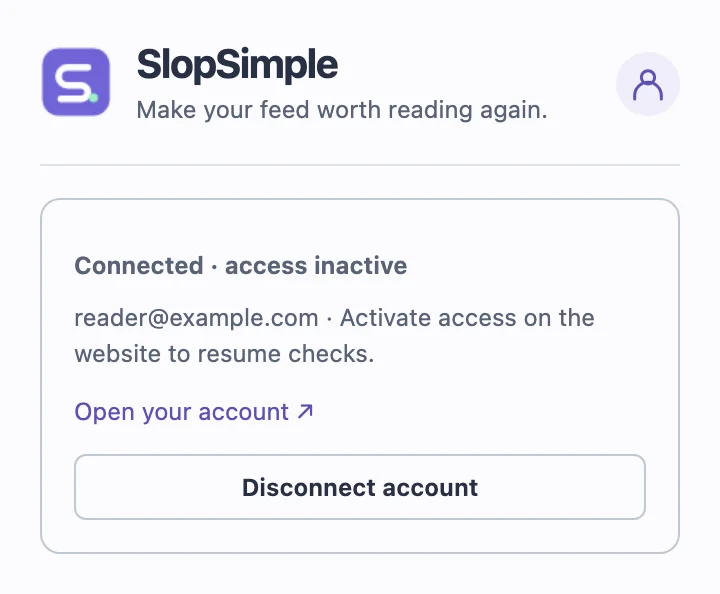
Open your SlopSimple account to check your access status. Eligible new accounts receive a 7-day trial with 20 analyses per day on X and 20 on LinkedIn. That allowance is shared across devices for your account and resets at midnight UTC.
When you reach a platform’s daily trial allowance, new checks on that platform wait until the reset. When the 7-day trial ends, checks pause unless you choose a subscription. Signing in again or reinstalling does not start a new trial.
The card-free trial has no automatic charge. Paid plans remove the trial daily cap, while service usage limits still apply. Check subscription terms for pricing and access details.
3. Check platform controls and eligible posts.
X and LinkedIn have separate checks toggles in the popup. Confirm checks are enabled for the platform you are reading. Turning off filtering keeps scores available; turning off platform checks stops analysis there.
SlopSimple checks post body text between 80 and 12,000 characters. Many short X posts do not reach the minimum. Images, video, quoted-post text, comments, and private messages are excluded. Collapsed text can be checked when it is already loaded in the page.
A newly loaded post can appear before analysis finishes. Give it time to return a result and compare several eligible feed posts. A single post without a badge does not establish that the extension is broken or that its text is human-written.
If eligible posts consistently lack scores despite an active connection and enabled checks, reload the feed. If the issue continues, use the support checklist below rather than repeatedly reinstalling or signing up.
4. If scores appear, check the filtering rule.
Enable Hide AI posts in the popup. The default threshold is 80, and a post is hidden only when its returned score is strictly above that threshold. A score of 80 stays visible at threshold 80; a score of 81 is hidden.
A post with no estimate stays visible. A post you explicitly revealed with Show post also stays visible during background scans. Those outcomes are part of the filter’s behavior.
Changing the threshold updates already checked posts. Switching filtering off or pausing checks for the platform restores its hidden posts. Try the threshold example to check the rule against a few illustrative scores.
Still not working? Send us the useful details.
Email support@slopsimple.com with:
- Your browser name and version, operating system, and SlopSimple extension version.
- Whether the issue affects X, LinkedIn, or both.
- Whether scores are missing, scored posts stay visible, or an account connection fails.
- The wording of any error and which steps above you have already tried.
For account or billing issues, write from the email address on your account. Do not include sign-in codes, passwords, card details, or extension access tokens. Avoid including private messages or other people’s personal information.
You can also visit support for account and billing help, or return to the setup guide.